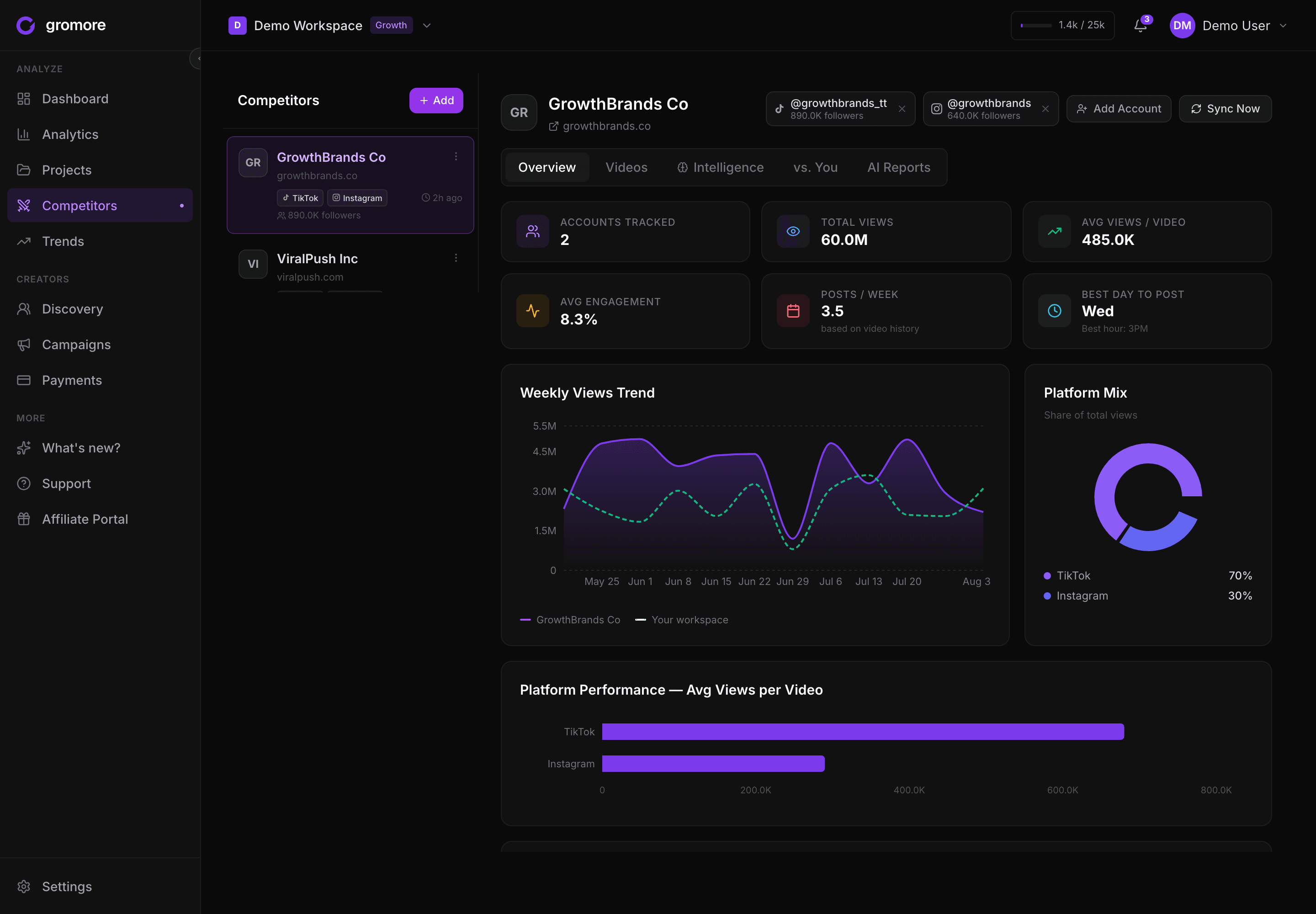
Short answer: Instagram UGC tracking means monitoring the creator content made for your brand — Reels views over time, saves, engagement, and per-creator performance — in one place, instead of digging through native Instagram Insights that only ever shows your own account. The same blind spot applies to YouTube Shorts, the platform brands most often forget to measure. The real win is seeing Instagram, YouTube Shorts, and TikTok side by side, not living inside three separate dashboards.
If you run UGC on Instagram, you know the frustrating part: the content works, but proving it is a chore. A creator posts a Reel, it does numbers, and the only way to check is to open the app, find the post, and eyeball it — then repeat next week, for every creator, across every campaign. Instagram gives brands almost no native way to track other people's content at scale, and that content is scattered across formats that don't talk to each other.
Why Instagram UGC tracking is harder than it looks
Two things make Instagram uniquely painful to measure.
The content is fragmented by default. A single creator relationship can spill across Stories, in-feed Posts, Reels, carousel collabs, comments, and DMs. Stories vanish in 24 hours. Reels live on but get buried. A tagged mention in someone's Story is gone before you screenshot it. There's no one surface that collects everything a creator has made for you — you're stitching it together from memory and browser tabs.
Native Instagram Insights only sees your own account. This is the big one. Insights is genuinely good for the account it belongs to — but it stops at your own walls. The moment content lives on a creator's handle instead of your brand's, Insights shows you nothing. Reposted UGC, a whitelisted ad, a creator's organic Reel about your product — all invisible to the one analytics tool Instagram gives you. For UGC, where the entire point is that other people post about you, that's a blind spot sitting exactly where you need vision.
What to track for Instagram creator/UGC campaigns
Once you accept you need to look outside your own account, the question is what actually matters. Four signals do most of the work — and two of them come with honest caveats worth knowing before you trust a number.
Reels views — but as a curve, not a snapshot. Views are the headline metric, and rightly so. Here's the quirk almost no tool warns you about: the public view count you see when logged out is a public, logged-out number, and for a freshly posted Reel it often lags behind reality before converging over the following hours. Glance at a two-hour-old Reel and the count can look soft; check tomorrow and it's caught up. So track views as a trend line, not a single reading — one look at a young Reel will mislead you. (This is the same performance-over-time principle behind every metric in our guide to UGC analytics.)
Saves — the most underrated signal, with a catch. A save means someone valued your content enough to keep it — a stronger buy-intent signal than a like, and one that tends to track content with a long shelf life. The catch: saves are private to the account that posted. Native Insights shows them only to the post's owner, so to see saves on a creator's Reel you need that creator to share their Insights — build it into the brief. No external tracker watching public data can see saves it doesn't own; that's not a tool limitation, it's how Instagram works. Ask for it anyway, because it's one of the truest signals you'll get.
Engagement rate — and don't get fooled by "hidden" likes. Engagement rate (interactions relative to reach or followers) is a fair cross-creator comparison. One trap: plenty of creators hide their public like counts. When they do, a scraper reads a near-zero number — sometimes literally two or three — which is not real. A tool that records that as "3 likes" is lying to you by accident. The honest behavior is to label it Hidden and leave it out of the math, which is exactly how Gromore handles it. Treat a suspiciously tiny like count as a display choice, not a flop.
Tagged mentions and reposts. The organic layer — who tagged you, who made a Reel unprompted — is where both UGC gold and your next proven creator partner hide. It's also the layer Insights ignores completely.
Instagram UGC tracking tools compared
No single tool does everything, and the honest truth is that most "UGC platforms" are strong at one job and thin on the rest. Here's a fair look at a few brands reach for, and where each fits.
Gatsby is popular with Shopify and D2C brands for combining UGC and influencer gifting with your own-account performance in one place. If your program runs on product seeding and you live inside Shopify, it's a natural fit — and it's Instagram-first by design.
LoudCrowd takes a social-CRM angle, built around ambassador and micro-influencer programs at scale: creator storefronts, affiliate links, and rewarding customers who post. If you're running a large ambassador community, that's its sweet spot.
Refunnel positions itself around mention tracking, content rights, and one-click whitelisting — the permissions-and-paperwork side of UGC, so you can legally reuse what creators make. Useful if rights management is your bottleneck rather than analytics.
Gromore tracks Instagram Reels creator and account performance alongside TikTok and YouTube in a single dashboard, and ties that tracking to the campaign workflow — brief a creator, track their content, then record what you owe them.
| Tool | Best known for | Instagram creator tracking | YouTube Shorts | Ties tracking to campaigns + payouts |
|---|---|---|---|---|
| Gatsby | UGC + gifting for Shopify brands | Strong, Instagram-first | Not a focus | Partial |
| LoudCrowd | Ambassador / affiliate programs | Strong, ambassador-centric | Not a focus | Affiliate-centric |
| Refunnel | Mention tracking + content rights | Mention-focused | Not a focus | Rights-focused |
| Gromore | Cross-platform creator campaign tracking | Reels + account performance | Yes (via YouTube) | Yes — brief → track → record payout |
This table reflects each tool's public positioning at the time of writing — features change, so verify the current state before you buy. The consistent gap across the Instagram-native tools is the one we cover next.
The pattern worth noticing: the Instagram specialists are genuinely good at Instagram and mostly silent on YouTube Shorts — the platform we need to talk about now.
YouTube Shorts: the platform brands most often under-track
Shorts is the format brands most reliably under-measure, usually because it hides inside YouTube — a place teams file under "long-form video," not UGC. But creators are cutting the same vertical clips for Shorts that they post to Reels and TikTok, and the measurement gaps here are real.
Retention and swipe-away are the metrics that matter. YouTube Studio gives Shorts their own analytics, and the number to watch is the balance between people who viewed a Short and people who swiped away almost immediately. A commonly cited rule of thumb is the "60% Rule" — the idea that if clearly more than half of impressions turn into real views rather than instant swipe-aways, the algorithm reads the Short as worth pushing further. Treat that as a directional benchmark, not an official, published threshold, but the underlying point holds: on Shorts, the swipe-away rate in the first second is close to the whole ballgame.
"Views" don't mean what you think on Shorts. A well-known gap: a Short's impressions are counted primarily within the Shorts feed itself. Views arriving from search, suggested videos, or an external share can behave differently from the swipe-feed impressions Studio emphasizes — so the number you screenshot for a creator can undercount how far the clip actually traveled. And if you line a Short's "views" up one-to-one against a Reel's or a TikTok's, you're comparing three platforms that each count a view slightly differently. That footnote matters a lot when you're deciding who to pay.
Multi-channel aggregation is the operational headache. The moment you're running Shorts with several creators — each on their own channel — or across a few of your own brand channels, YouTube Studio makes you check them one at a time. There's no native "show me every creator's Shorts for this campaign" view. That per-channel slog is exactly the kind of manual tracking that quietly eats an afternoon a week and never scales.
Bringing Instagram + YouTube Shorts + TikTok into one view
Step back and the real problem isn't any single platform — it's that Instagram, YouTube Shorts, and TikTok each hand you a different dashboard that only sees its own account, counts a "view" its own way, and refuses to talk to the other two. Brands run creators across all three; the tooling pretends each one lives alone.
That's the gap Gromore is built to close. It tracks creator and account performance across TikTok, Instagram, and YouTube in one place, so a campaign spanning all three reads as a single view of per-creator performance instead of three tabs you reconcile by hand. It labels the honest quirks rather than hiding them — Reels views as a curve that converges, hidden likes marked Hidden instead of faked — so the numbers you compare are numbers you can actually trust.
And because that tracking sits in the same platform where you brief creators and handle creator payouts, performance connects straight to the rest of the workflow. Gromore records what each creator has earned against your rules — base pay, CPM, and milestone bonuses — with an approval trail: it calculates and logs the payout, and you still send the money your own way. Pair that with competitor creator intelligence to find proven partners, TikTok analytics for brand creator campaigns for the third platform, and a viral video discovery tool to spot rising formats before they peak, and the cross-platform picture finally lives in one place. If you're a Shopify brand specifically, our roundup of the best UGC tracking tools for Shopify brands goes deeper on the store-connected options.
Bottom line
Instagram UGC tracking is hard for two honest reasons: the content is scattered across formats, and native Insights only ever shows your own account — never the creator content that is the entire point. Solve it by tracking the signals that matter (Reels views as a curve, saves you ask creators to share, engagement with hidden likes labeled honestly) and by refusing to let YouTube Shorts go unmeasured just because it hides inside YouTube. The biggest win, though, isn't a slicker single-platform dashboard. It's seeing Instagram, YouTube Shorts, and TikTok in one view — tied to the campaigns and payouts they feed — instead of living inside three native tools that will never talk to each other.
Want Instagram, YouTube Shorts, and TikTok creator performance in one dashboard? Start a free 7-day Gromore trial — no card required.