Short answer: A creator content approval workflow is the defined path a draft takes from submission to sign-off — with clear statuses, one person who owns the approval, and a deadline on your reply. Run over DMs and screenshots, it works for two or three creators and quietly breaks past a handful: no record of what was approved, lost revisions, and drafts that sit for a week. The fix is a lightweight, repeatable process — ideally one that connects approval straight to the payout it triggers.
For your first two or three creators, there's no "workflow," and you don't need one. A creator sends a draft in the DMs, you reply with a voice note or a screenshot you marked up with your thumb, you say "looks good," they post. Fast, human, fine.
Then you scale to fifteen creators across two campaigns, and that same setup falls apart:
- Nobody can say what was actually approved. Was it the cut with the discount callout or without? The DM thread is 200 messages deep and the answer is gone.
- Revisions get lost. A creator resubmits, it lands under a Reel they sent for a different campaign, and it sits there for four days because you never saw it.
- You become the bottleneck. Every draft routes through one person's inbox. When that person is on a flight, a dozen creators are blocked.
- Creators can't plan. They don't know if they're waiting on you for an hour or a week, so they deprioritize your campaign for a brand that answers.
None of this is a tooling problem yet — it's a process problem. But the process you reach for matters, because the obvious tools weren't built for this.
Why generic content-approval tools fall short for UGC
Search "content approval software" and you'll get Filestage, Planable, Wipster, Frame.io, Hootsuite. These are good tools. If you need timestamped comments on a single video cut, or a tidy client-review link for a finished ad, they genuinely do that well, and I wouldn't talk you out of them.
But they were built for internal design and marketing assets — a designer inside your company ships a draft, the team comments, a manager approves. UGC breaks three of those assumptions at once:
- The submitter is outside your org. A creator isn't in your Slack, your project tool, or your seat count. "Changes requested" has to travel to a non-employee who's juggling four other brands.
- Many creators submit at once. A campaign isn't one asset moving through one pipe. It's fifteen drafts landing in the same week, each at a different stage, each needing to stay findable.
- Approval is tied to money. For an internal asset, "approved" is the finish line. For a creator, approval is the thing that unlocks a payout — and generic review tools stop dead at "approved" and leave the payment in a spreadsheet somewhere else.
That last gap is the one nobody fills, and it's the whole reason a creator workflow has to be thought about differently.
What a creator-specific approval workflow actually needs
Strip it back and a workable creator approval workflow has four moving parts:
- Clear statuses. Every draft sits in one obvious state: submitted → in review → changes requested → approved. No guessing, no archaeology through a DM thread. Anyone should be able to glance at a campaign and see what's waiting on whom.
- Version history. You want the thread of drafts — v1, v2, final — attached to the deliverable, so a creator is never working off a stale brief or an old cut, and so you can prove exactly which version you signed off on when a question comes up later.
- Clear roles. One named person approves — not a committee, not "whoever sees it first." Add a second reviewer (legal or compliance) only when a claim needs checking, and make that a defined step rather than an ad-hoc forward.
- A deadline on your reply. This is the sharpest and most-missed part. Creators run several campaigns at once and plan their publishing calendar around your response. If they don't know whether "in review" means one hour or one week, they can't schedule — so they post the brand that answers first and yours slips. An explicit response SLA ("we review within two business days") is a retention feature, not a nicety.
The real cost of a slow approval process
It's tempting to treat approval as low-stakes admin. It isn't — a slow queue leaks money in ways that never show up on a single line item.
Picture a strong creator who submits a draft on Monday. It's good, but you're busy, so it sits. By Friday they've given their posting slot to another client's campaign, your launch window has slid a week, and the creator has quietly filed you under "slow to work with." Do that twice and they don't pitch you for the next brief. The bottleneck didn't just delay one post — it churned a proven partner, and finding another one who converts is the expensive part of this whole business.
The other cost is disputes. With no record of what was approved, you get the "but you said the first version was fine" conversation, the re-briefing of the same fix three times, and the month-end scramble to reconcile which creator actually delivered what. Every one of those is unpaid hours, and every one gets worse as you add creators.
Approval and payout should be one motion, not two tools
Here's the connection almost nobody designs for on purpose: approving the content is the exact moment a payout becomes owed. They're the same event. Yet the typical stack splits them across two worlds — you approve a draft in a review tool, then, separately, someone reconciles deliverables against invoices in a spreadsheet and pays out in a third app.
That reconciliation is the part that quietly doesn't scale. At five creators you can hold it in your head. At fifty, across a few campaigns with different rates, you're re-keying the same deliverable into three places and hoping the spreadsheet matches reality. The fix isn't a better spreadsheet — it's collapsing the two steps so a signed-off deliverable flows straight into the payout it triggers, inside one piece of software for managing creator campaigns rather than a chain of disconnected apps. That single connection — approval to payout — is what turns a pile of tools into a real brief-to-payout creator campaign workflow.
Building your own approval SOP
You don't need software to start — you need a written, repeatable path every draft follows. Here's a template you can copy and adapt:
| Stage | What happens | Who owns it | Response SLA |
|---|---|---|---|
| Draft submitted | Creator uploads their cut against the agreed brief | Creator | — |
| Internal review | Brand manager checks it against the brief and brand rules | Brand manager | 2 business days |
| Changes requested | One consolidated edit list, referencing the brief (never a drip-feed) | Brand manager | Same day |
| Revision | Creator resubmits the updated cut | Creator | Per agreement |
| Final approval | One named approver signs off; compliance too if there's a claim | Approver | 1 business day |
| Payout trigger | Approved deliverable unlocks the recorded payout | Finance / admin | On approval |
Two practical habits make this workflow cheap to run:
- Brief clearly up front. Most revision rounds aren't caused by a bad creator — they're caused by a vague brief. Spell out the hook, the format, the length, the must-says and can't-says, and one or two reference examples before a frame is shot. An hour on the brief saves three rounds of "make it pop."
- Batch your reviews. Reacting to drafts the instant they land fragments your day and still feels slow to creators. Set one or two fixed review windows a day, tell creators when those are, and clear the queue in a block. It's faster for you and more predictable for them.
- Cap revision rounds. Two included rounds is a fair default; past that, it's a scope conversation, not a free redo. Agreeing this in the brief keeps a perfectionist loop from eating your margin.
For agencies reviewing across several brands at once, that same SOP has to run per client without the queues bleeding together — which is where UGC agency management software with separate client workspaces earns its keep.
How Gromore handles this
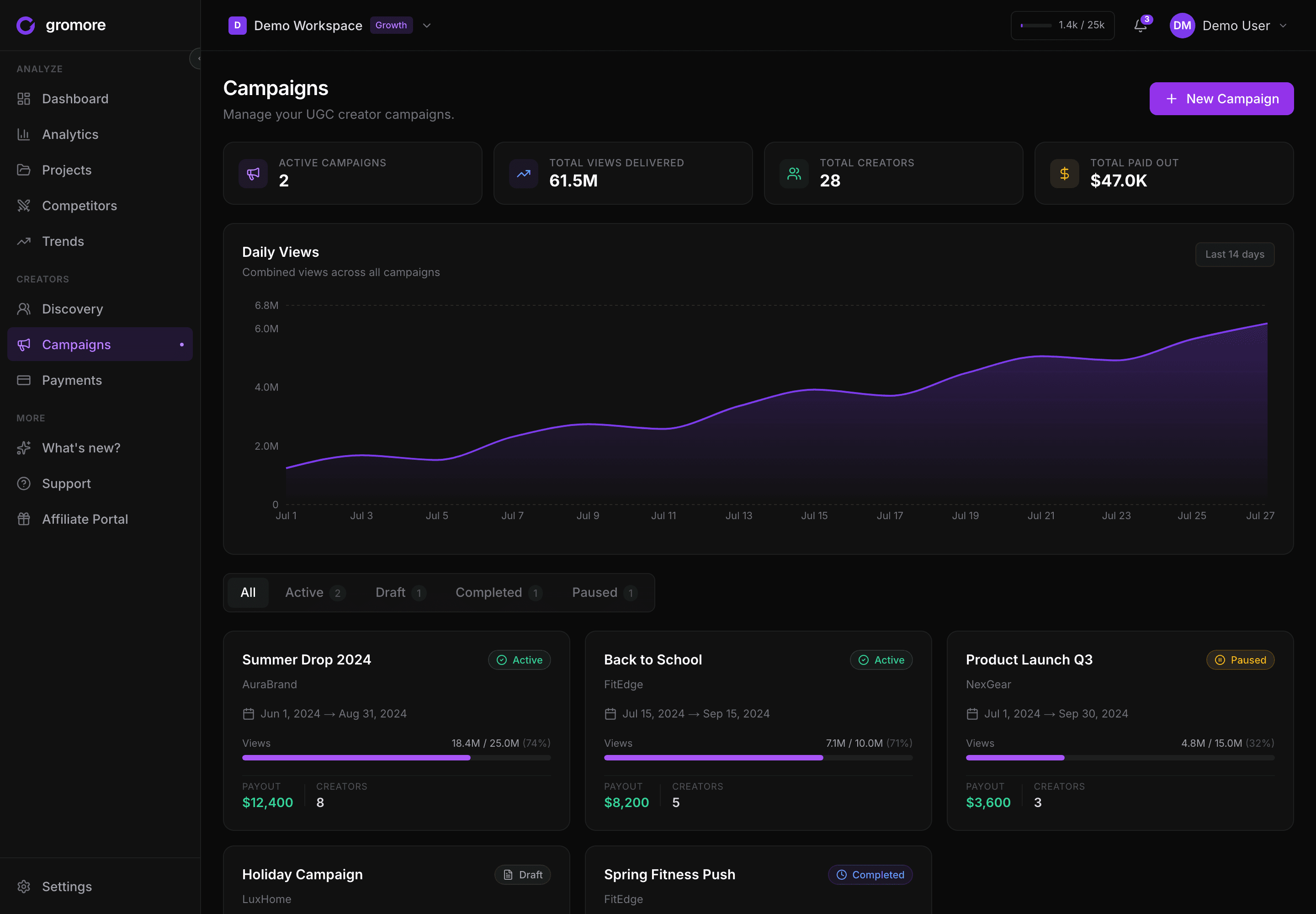
Gromore isn't a frame-by-frame video-markup tool — if you want timestamped comments on a cut, Filestage or Frame.io do that job well. What Gromore does is make the sign-off count by keeping the whole campaign in one place: the brief the creator worked from, the live performance of what they posted, and the payout it earns all sit together instead of scattered across three apps.
So the approval step you run doesn't dead-end in a review tool. The payout it should trigger is right there — calculated from your base + CPM + milestone rules — and gated behind a real approval: in a workspace with two or more admins, a different admin has to approve a payout than the one who created it, and every action is written to an append-only audit trail. To keep you in control of the money, Gromore is record-mode: it calculates and records the payout; you send the actual transfer your own way. It's part of the broader UGC analytics picture, and once a deliverable is approved you can automate creator payments once content is approved on top.
Bottom line
Approval feels like paperwork, but it's really the gate between a creator's work and getting paid — and past a handful of creators, running it over DMs and screenshots quietly costs you proven partners. Give it a real shape: clear statuses, version history, one named approver, and an honest response SLA. Then close the loop that generic tools leave open, so signing off a draft and triggering its payout are one motion instead of two disconnected tools.
Want approval and payouts running as one campaign loop? Start a free 7-day Gromore trial — no card required.