Overview
Getting started
A quick orientation for new teams: what Gromore does and the fastest path from tracking your first accounts to running creator campaigns.
What Gromore does
Gromore is one workspace for creator marketing on TikTok and Instagram. You track creator content, review analytics, run creator campaigns, and record creator payouts — all in the same place.
Everything builds on the accounts and videos you connect, so tracking comes first. Once content is flowing in, the analytics, campaigns and payout tools have real data to work with.
The recommended path
You don't have to set everything up at once. This order gets a new team to value fastest — start with the first two steps, then layer on the rest as you grow.
Steps 3 onward (projects, creators, campaigns and payouts) are part of creator payments, which is available on the Growth and Agency plans.
- 1Add accounts to track. Enter the TikTok and Instagram handles you care about. Gromore kicks off a first sync to pull in their recent videos.
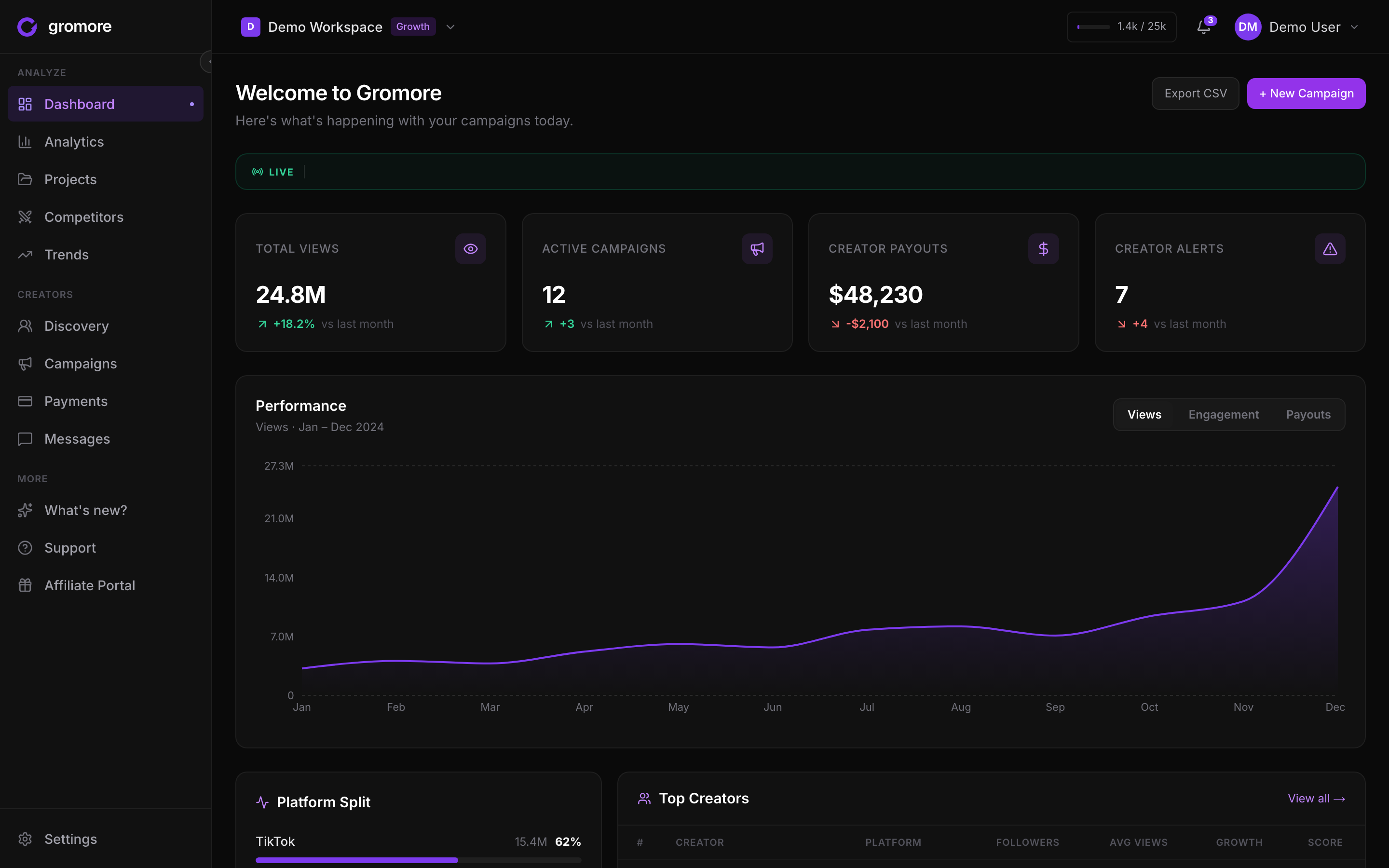
- 2Review analytics after the first sync. When the first sync finishes, open your dashboard to see views, engagement, your platform split and top creators. Syncs then refresh on a plan-based schedule, and a failed first sync retries on its own.
- 3Set up projects, creators and campaigns (Growth or Agency). Group accounts into projects, add creator records, connect their accounts, and create campaigns for the work you're paying for.
- 4Record payouts. Gromore is record-mode: you record what you owe, approve it, mark it paid, and keep a full audit trail. Gromore never moves money.
- 5Add team, alerts and billing as you grow. Invite teammates, choose which alerts fire and where they go, and keep an eye on usage in Settings → Billing.
Decide payout rules before creators publish
Before your creators start posting, set each campaign's payout rules — base pay, CPM, milestone bonuses and any cap. Deciding this up front keeps the payout math clean and matches what creators expect to be paid.
Sorting it out after content is live means reworking numbers on posts that already exist, so it's worth a few minutes at the start.
A few things to know as you grow
Roles keep things safe: owner, admin, member and viewer. Viewers are read-only everywhere. Team invites go out by email and each one uses a seat.
Video credits count the net-new videos Gromore actually captures — not a limit you pick. Deleting content never refunds credits, and credits are pooled across all the workspaces you own. There's no overage billing; when you hit your quota, tracking pauses until the next cycle or an upgrade, and Settings → Billing always shows your live usage and caps.
Alerts (viral video, competitor viral, posting gap, campaign milestone, credit warning) reach you via the topbar bell and optional Slack or Discord. In Settings, the Notifications tab controls which events fire and the Integrations tab controls where they're delivered. If you get stuck, use in-app live chat, these docs, or email support@gromore.io.