Creator payments
Payouts
How Gromore records creator payouts: log what you owe, approve it, mark it paid, and keep an append-only audit trail — all without ever moving money.
Payouts are record-mode — Gromore never moves money
Payouts let you keep an accurate ledger of what you owe your creators. Gromore records the amounts, tracks approvals, and marks payments as complete — but it never actually moves money. You send the funds yourself through your own bank, PayPal, or whatever you already use, then record it here so your books stay in sync.
The flow is simple: record what you owe, get it approved (role-checked), mark it paid, and every step is written to an append-only audit trail. Per-project rollups then show you how much has been paid out against each client or campaign.
Payouts are part of Creator payments, which is available on Growth and Agency plans. You'll find them alongside Creators and Campaigns in your workspace.
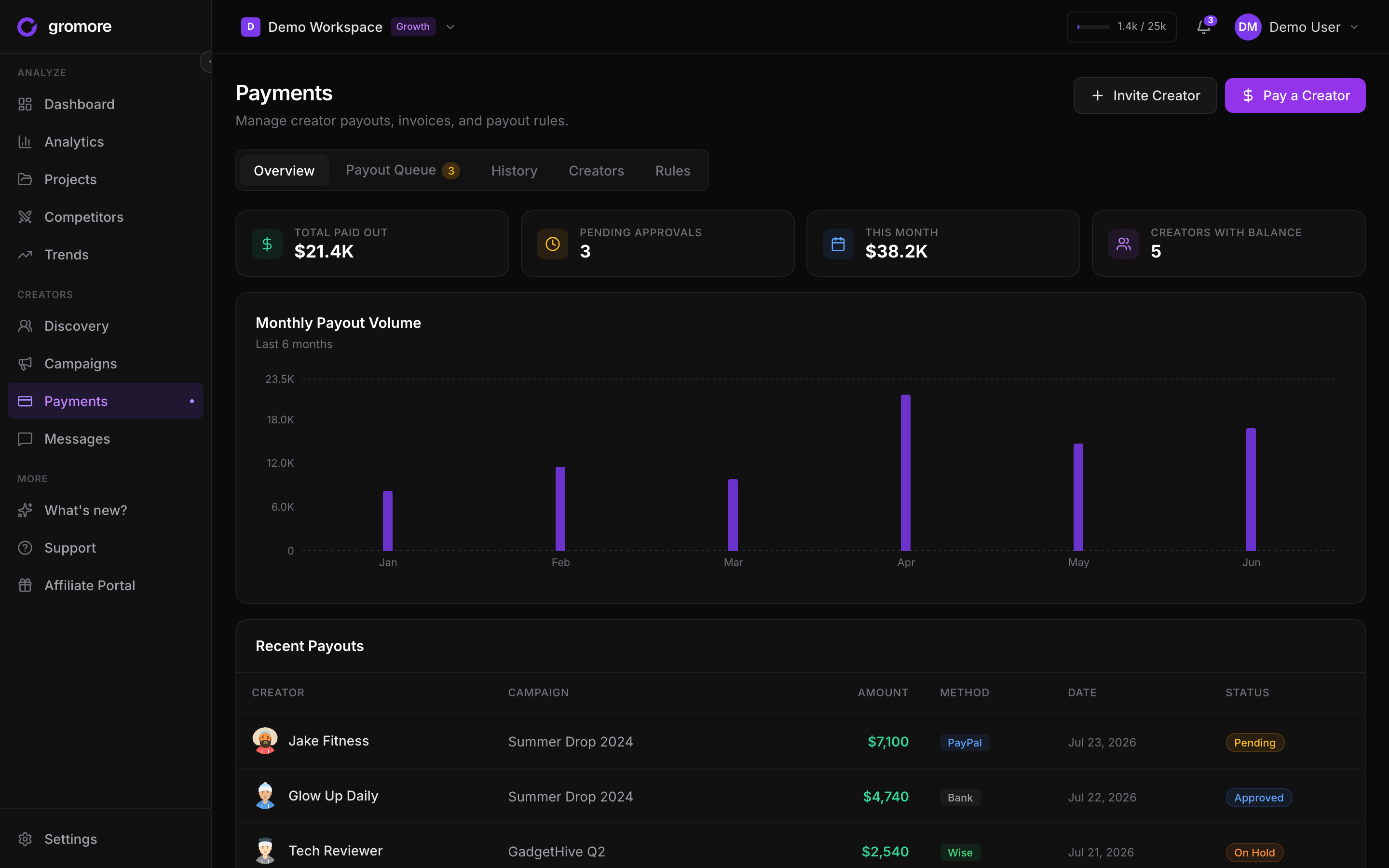
The payout flow, step by step
Every payout moves through the same short lifecycle. You can create a one-off payout for a single creator or generate a batch from a campaign, where Gromore suggests amounts from your payout rules.
Nothing is paid until a person marks it paid — recording and approving are just bookkeeping steps, so there's no risk of Gromore triggering a transfer on its own.
- 1Record what you owe: create a payout for a creator with the amount, or build a batch from a campaign using its base, CPM, and milestone rules.
- 2Send it for approval: the payout waits in a pending state until an authorized teammate approves it.
- 3Pay the creator yourself: use your own bank, PayPal, or preferred method outside Gromore.
- 4Mark it paid: update the payout so your records match reality — this writes the final entry to the audit trail.
- 5Review the rollups: check the per-project 'Paid Out' totals to see spend against each client or campaign.
Approvals and who can do what
Payout approvals are role-checked. Roles run owner, admin, member, viewer — and viewers are strictly read-only across the app, so they can view payouts but never create, approve, or mark them paid.
To keep a single person from unilaterally signing off on money they recorded, self-approval is blocked when your workspace has two or more admins: someone else has to approve a payout you created. On smaller teams this guardrail relaxes so you're not stuck, but the audit trail always records who did what.
Audit trail and per-project rollups
Every action on a payout — created, approved, marked paid — is written to an append-only audit trail. Entries are never edited or erased, so you always have a full, tamper-evident history of who approved and paid each creator, and when.
Each project keeps a running 'Paid Out' total, so you can see exactly how much has gone to creators for a given client or campaign. That makes reconciling against invoices and reporting back to clients straightforward.
What's on the roadmap
Today Gromore is deliberately record-mode: it's the safest place to start, because your money never passes through us. Two additions are planned but not shipped yet.
Bank payout rails would let you send funds to creators from inside Gromore instead of paying separately. A creator claim portal would let creators log in, confirm their details, and pull their approved payouts themselves. Until those land, keep sending payments through your own provider and recording them here.
If either becomes important for your workflow, let us know through in-app live chat or at support@gromore.io — it helps us prioritize.